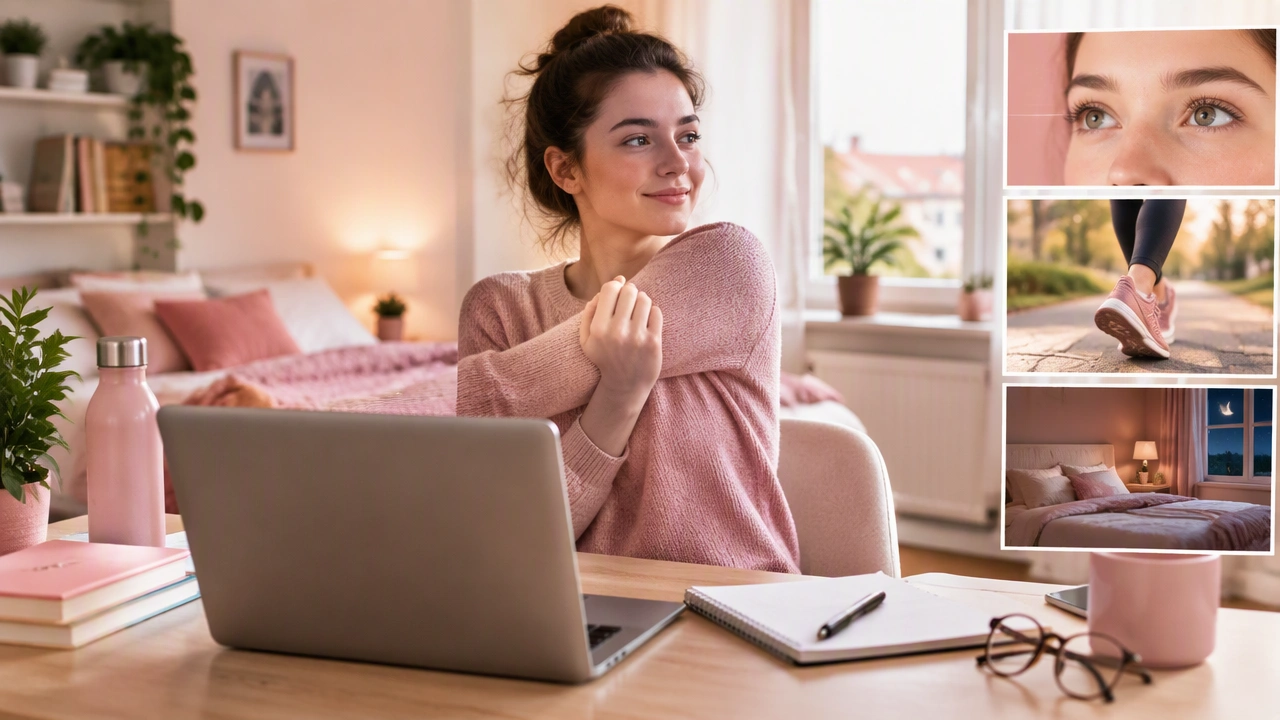
Healthy Screen Habits for Remote Students: Balance Movement, Eye Comfort, and Sleep

Remote learning has moved from a temporary fix to a daily reality for many families and schools. While digital classrooms offer flexibility, they also place long hours of screen time on young eyes and bodies. Building healthy screen habits for remote students helps protect vision, supports posture and movement, and keeps sleep on track. This article shares practical routines that teachers, parents, and students can use to create a balanced day without adding stress.
Why Balance Matters in Online Learning
Extended screen use can strain the eyes, reduce physical activity, and delay bedtime. When lessons, homework, and social time all happen on the same device, the day can blur together. Clear boundaries, short movement breaks, and consistent sleep routines restore structure and reduce fatigue. In the broader context of edukacja zdalna, schools and families benefit from simple, repeatable habits that students can learn and follow independently.
Set a Realistic Daily Screen Schedule
A schedule turns open-ended screen time into focused blocks. Start with fixed anchors such as wake-up, meals, lessons, and bedtime. Then plan study blocks, breaks, and offline time. Keep the plan visible on a wall or whiteboard so students can check it without asking for help.
- Limit continuous screen time: Aim for 20 to 30 minutes of focused work, then take a 3 to 5 minute break.
- Cluster live lessons: Group synchronous classes when possible to create longer offline windows.
- Protect device-free periods: Keep meals and the hour before bed free from screens.
- Use a simple timer: A visual timer helps younger students see when a break is coming.
Build Movement Into the Day
Movement improves circulation, reduces stiffness, and refreshes attention. Remote students do not need a gym; they need short, regular activity that fits a home setting.
- Morning activation: Start the day with 5 to 10 minutes of stretching, jumping jacks, or a quick walk.
- Micro-breaks between lessons: Stand up, roll the shoulders, touch the toes, or walk to get water.
- Midday burst: Schedule 15 to 20 minutes of a favorite activity such as cycling, dance, or ball games.
- Homework reset: After each subject, step outside for fresh air or do a set of wall push-ups.
Place a small mat or marked area in the learning space to signal that movement is part of the routine, not a distraction from it.
Protect Vision With the 20-20-20 Rule and Better Setup
Eye comfort is central to healthy screen habits for remote students. The 20-20-20 rule is easy to remember: every 20 minutes, look at something about 20 feet away for 20 seconds. This gives the eye muscles a short reset.
Adjust the setup to reduce strain:
- Screen distance: Keep the screen roughly an arm’s length away from the face.
- Height: Position the top of the screen at or slightly below eye level to reduce neck tilt.
- Brightness and contrast: Match screen brightness to the room and avoid glare from windows or overhead lights.
- Text size: Increase font size in reading apps and documents when needed.
- Lighting: Use soft, even lighting and avoid working in a dark room with a bright screen.
If dryness or headaches persist, blink more often, use preservative-free lubricating drops if appropriate, and discuss symptoms with a healthcare professional.
Manage Blue Light Without Overcomplicating
Blue light is part of all screens, but the bigger issue at night is stimulation and late use. Reduce evening exposure by using warm display settings, lowering brightness, and turning on built-in night modes. More importantly, stop screen use at least 60 minutes before bedtime. Replace late-night scrolling with reading, calm music, or a short family chat.
Design a Sleep-Friendly Routine
Consistent sleep helps memory, mood, and learning. Remote students often benefit from a steady bedtime and wake time, even on weekends.
- Set a wind-down window: Begin quiet activities 60 minutes before bed.
- Create a device-free bedroom: Charge devices outside the bedroom or across the room.
- Use a checklist: A simple routine (wash up, read, lights out) helps younger students follow the plan.
- Keep naps short: If needed, cap naps at 20 to 30 minutes and avoid late-afternoon naps.
Consistency matters more than perfection. If bedtime drifts, move it earlier by 10 to 15 minutes every few nights.
Improve Posture and Ergonomics at Home
Comfortable posture reduces neck, shoulder, and back pain. Use a chair that supports the back, keep feet flat on the floor, and place the keyboard so wrists remain neutral. If a proper desk is not available, stack books to raise the screen or use a small portable table. A separate keyboard and mouse can help keep the screen at eye level while keeping hands comfortable.
Teach Self-Regulation and Reflection
Students benefit from learning how their bodies feel after different routines. Try a short daily check-in:
- Eyes: Do they feel tired or dry after a long block?
- Body: Are the shoulders tight or the back sore?
- Mind: Is focus fading sooner in the afternoon?
Use the answers to adjust the next day. Move a tough class earlier, add an extra break, or shift bedtime a little sooner. Over time, students build awareness and independence.
Support the Whole Family With Shared Norms
When everyone follows similar rules, habits stick. Hold a short weekly meeting to review what works and what needs changing. Celebrate small wins, like fewer late-night device sessions or more consistent breaks. Keep expectations age-appropriate and flexible during exams or project weeks.
A Simple Starter Plan
Use this outline to create a first version of the routine, then refine it after a week.
- Morning: Wake at a fixed time, stretch for 5 minutes, start lessons with a clear schedule.
- Lessons: Work in 20 to 30 minute blocks with short breaks; follow the 20-20-20 rule.
- Midday: Eat a meal away from screens, then move for 15 to 20 minutes.
- Afternoon: Finish homework, take a walk, and prep materials for the next day.
- Evening: Device-free hour before bed, calm routine, steady lights-out time.
Healthy screen habits for remote students are not about strict limits or perfect setups. They are about consistent routines that protect the eyes, invite movement, and support sleep. Start small, adjust with feedback, and keep the plan visible. With steady practice, students can learn comfortably online while staying healthy offline.